Interactive information points for hotels, 24/7
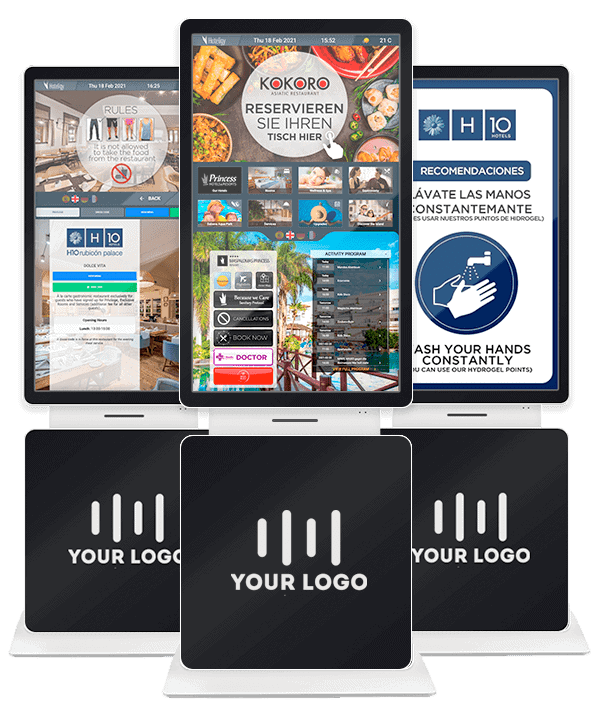
Large-format touchscreens in the lobby, restaurants, and common areas. All hotel info at the guest's fingertips — menus, reservations, schedule, maps, flights, and weather. No front desk needed.
Is your lobby still analog?
Overwhelmed reception
Guests constantly ask for schedules, menus, and directions. Your team repeats the same answers all day.
Paper-based info
Posters, brochures, and directories that get outdated, damaged, and generate waste. Every change requires reprinting.
Language barrier
The guest wants to know what's for dinner but the sign is only in Spanish. Bad experience guaranteed.
Invisible services
The spa, excursions, and themed restaurants exist, but guests don't discover them because nobody shows them.
Generic kiosk vs Hoteligy Kiosk
| Standalone kiosk | Hoteligy | |
|---|---|---|
| Content | Isolated independent system | Same CMS as webapp, screens, and labels |
| Updates | Managed separately | One CMS change → all channels |
| Modules | Basic static info | Reservations, menus, schedule, maps, flights, weather... |
| Languages | 2-3 configured | Multilingual, adapted per guest |
| Segmentation | Same content for everyone | Adapted by guest segment |
| Analytics | None or basic | Usage metrics integrated in the CMS |
| Maintenance | On-site technical visit | 100% cloud remote management |
Over 500 hotels trust Hoteligy








Measurable impact from month one
-40%
front desk queries
100%
cloud remote management
24/7
no additional staff
<5 min
to update content
Everything the webapp offers, in large format
Menus and cards
Restaurant menus with prices, allergens, and nutritional info. Automatic multilingual.
Restaurant reservations
Guests book a table directly from the kiosk. With automatic complimentary meals and upselling.
Activity schedule
Daily entertainment program with times, descriptions, and seat booking.
Interactive map
Resort floor plan with touch navigation. Guests find any spot without asking.
Weather information
Real-time weather forecast for the coming days.
Flight info
Departure flight status from the nearest airport. Useful on the last day of stay.
Promotions and upselling
Schedulable banners by time and day. Promote spa, excursions, room service, and more.
Hotel directory
Schedules, rules, services, contacts. All hotel info on one screen.
Want to see a kiosk in action?
We'll demo it with real resort content.
What does your hotel gain?
Better guest experience
Guests find what they need instantly, in their language, without waiting. More autonomy, less frustration.
Less front desk workload
Repetitive queries are significantly reduced. Your team focuses on what adds value.
Greater service visibility
Spa, excursions, themed restaurants, and upselling reach the guest at the right time and place.
We adapt the kiosk to your space
32, 49, and 55-inch screens in vertical or horizontal format. Floor, wall, or countertop kiosk.
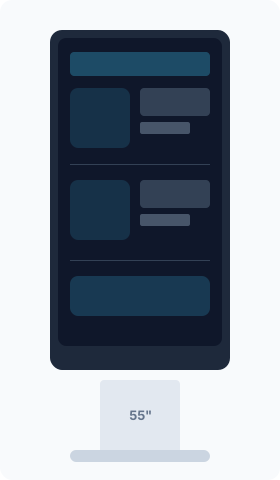
Floor kiosk
For high-traffic areas: lobby, restaurant entrances, reception.
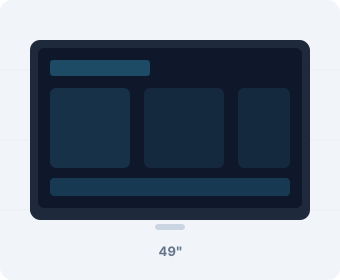
Wall-mounted kiosk
Saves space. Ideal for hallways, elevators, and narrow areas.
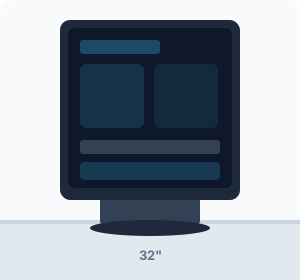
Countertop kiosk
Compact format for reception desk or information point.
Where to install a kiosk in your hotel
Lobby and reception
The highest-traffic point. Guests check information as soon as they arrive, without waiting in line at reception.
Restaurant entrance
Daily menu, allergens, hours, and table booking. Guests decide before walking in.
Spa and wellness area
Available treatments, prices, schedules, and direct booking. Guests decide without going through reception.
Hallways and walkways
Wall format for narrow spaces. Hotel directory, map, and schedule always visible.
Complete your hotel's digital experience
The kiosk is the starting point. Complement the experience with other digital channels, all managed from the same CMS.
"Since we installed Hoteligy kiosks, guests check hotel information on their own and we have notably reduced front desk queries."
Guest Experience Manager
4★ All Inclusive Resort, Tenerife
Frequently asked questions about hotel kiosks
What screen sizes are available?
We offer 32, 49, and 55-inch screens, in both vertical and horizontal format. Custom sizes also available on request.
Does it need internet?
Yes, for real-time updates. However, 90% of content is cached locally, so it works even with unstable connections.
Can the design be customized?
Yes. The interface and physical design adapt to the hotel's branding. Colors, typography, and visual style to match.
How durable are they?
Industrial-grade screens designed for continuous 24/7 use. Built for high-traffic environments.
Does it integrate with CMS 360?
Yes. The kiosk shares content with WebApp, digital signage, Smart TV, and AiChat. One management point for all channels.
Is technical support included?
Yes. Remote support, CMS updates, and 100% cloud management. All-inclusive rental model with maintenance also available.
How much does an interactive hotel kiosk cost?
It depends on the format and contract model. We offer direct purchase and all-inclusive monthly rental (hardware + software + maintenance). Request a quote for your specific case.
What's the installation process like?
We ship the kiosk pre-configured with your hotel's content. It only needs power and WiFi. Physical installation is simple and content setup is done 100% remotely.
What operating system do they use?
They run Android in kiosk mode. The system is fully managed from the cloud CMS, with no need to touch the device.
Can it be used as a non-interactive digital sign?
Yes. It can be set to digital signage mode, displaying a content carousel without guest interaction. Ideal for high-traffic walkways.
Transform your lobby into a digital information point
Request a demo and we'll show you how kiosks reduce front desk queries and improve the guest experience.